
Nurmweb Games
Coin-Op Arcade Machines for Commerce & Custom Arcade Cabinets for the Home


Arcade Master Operating System


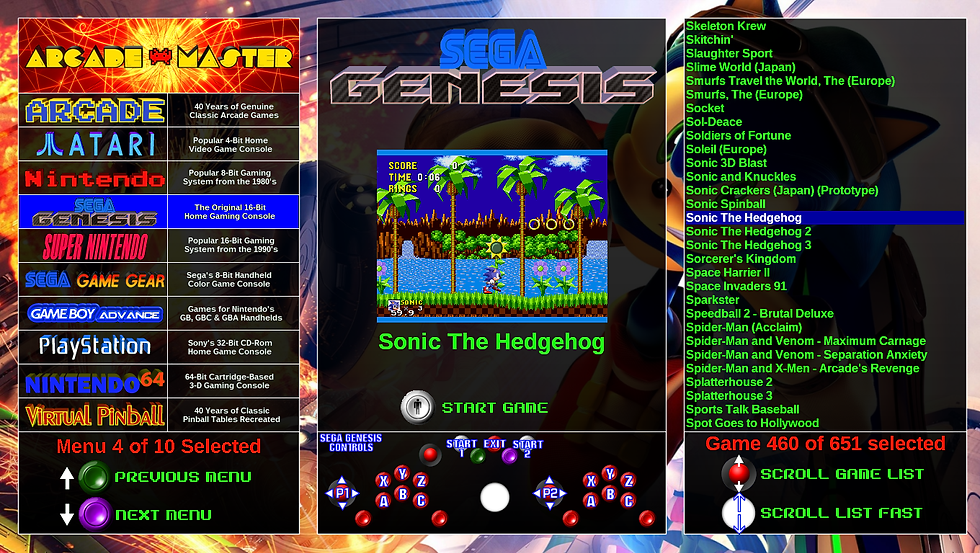

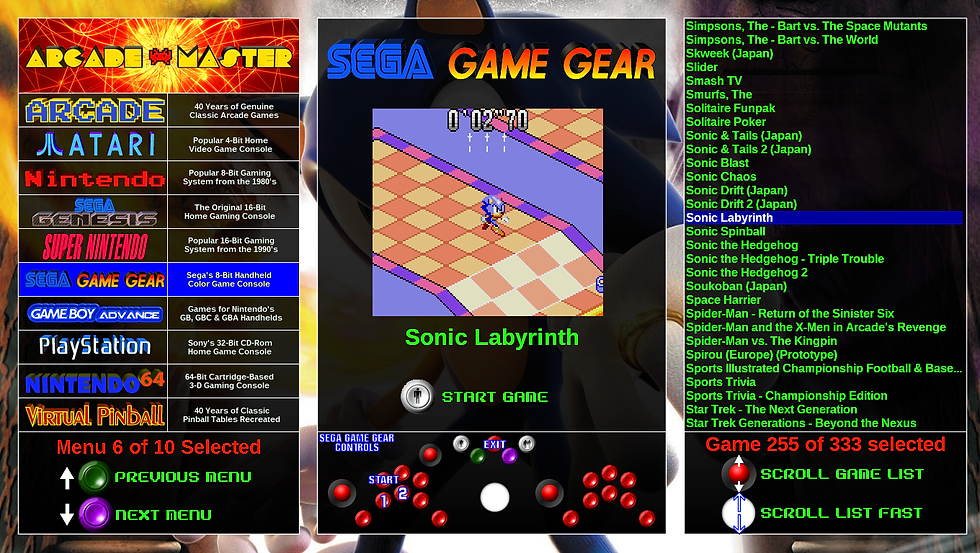
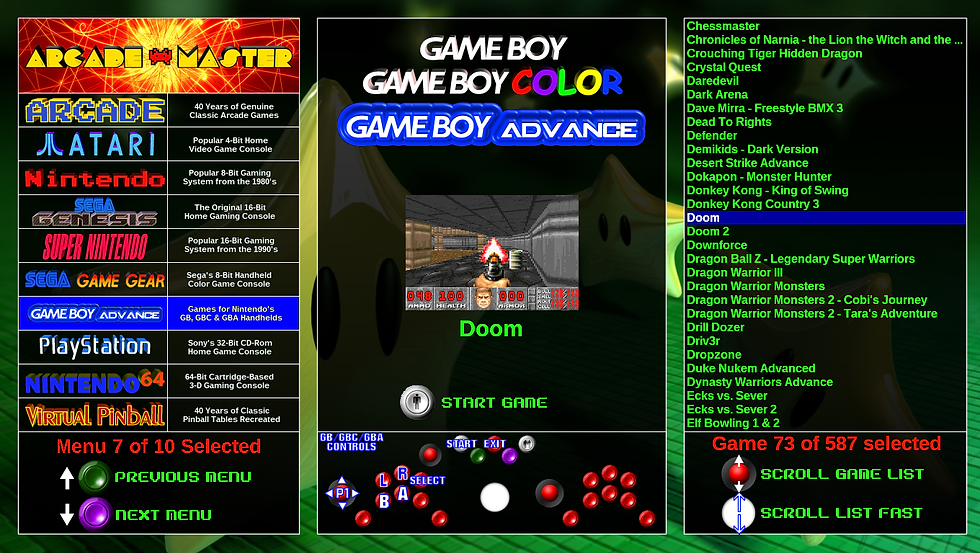


The Arcade Master operating system (OS) is a uniquely stylized adaptation of an open source front end program for tying together multiple emulators that took a year to customize. The OS is split up into 10 directories arranged in generally chronological order.
Navigation is made simple by onscreen icons representing buttons on the control panel that change menus and game list scrolling (see images). Each game in each menu has a virtual layout of the control panel with that game's control configuration displayed. Arcade game controls are as close to original game configurations as possible, utilizing the optimum combination of panel controls to meet the game's requirements. All of the console games (as well as Virtual Pinball) use a single control configuration.
Different themes for the directories (or whole cohesive themes matching a custom artwork -- see Custom for more info) are available. Some popular themes for cabinets are a replication of a classic game or movie-based & TV themes (Star Wars, Star Trek, Terminator, Tron, Defender, Robocop, Blade Runner, Pac-Man, Lord of the Rings, Hello Kitty, Family Guy, Spider-Man, etc.)
Arcade Master comes with a default set of licensed games that is thorough, yet not by any means complete, but the games inventory can be updated indefinitely by the end user. The included Help File tells how.
Special features of the Arcade Games directory:
The Arcade Games directory is unique among the games lists in the Arcade Master for a couple of reasons. For one, each game has it's own unique controls configuration to most closely match the kind of control configuration that was present in the original arcade machine. In most cases this is pretty straightforward, but special consideration was given to games that can allow for ambidextrous controls (lefty or right-handed), especially games that use the trackball or the 4-way joystick.
The next unique feature of the Arcade Games directory is the incorporation of the Multiple Arcade Machine Emulator (MAME) history file ("history.dat") into the interface. (This awesome feature is not available in the other game menus.) By tapping one of the joysticks to the side (or pressing the Player-2 Start Button) the System Menu list on the left is replaced with the history file info on the game that is highlighted on the right and featured in the middle with a screenshot and control map.
The history file info for each game gives a general description of the game, the specs of the original arcade machine, trivia about the game's development and reception & even secrets and passwords for games that have such things. This makes for a very rich and even educational experience, that can be an interesting way to use the machine other than straight gaming. Future versions of the Arcade Master software (which will be distributed FREE to all Arcade Master owners as system upgrades for more games & systems) will incorporate history files for the other systems as well (this is currently under development).
Finally, the Arcade Master uses a special command line version of MAME that allows an extra file to be saved to the PC's hard drive that saves the Hi-Score List details for each individual arcade game (some old machines would reset to factory defaults on reboot.) That way, your home machine will always keep your best hi-scores! (Included Help File explains resetting this feature if you ever wanted to.)
Since arcade games (and pinball tables) are the only games represented that required players to "insert coin", the coin-mech & microswitch of real arcade cabinets have been replaced with regular arcade buttons & microswitches. "Insert Coin" is achieved by "Pressing Button". (The green button on the cenral Admin row is the default or Player 1 coin mech switch while playing arcade games. It also inserts coins in Virtual Pinball games.)
The Arcade Master screensaver feature:
Every directory (game list menu) has a screensaver feature that engages when the machine is left alone (while in the menu system) for about 2 minutes. The screensaver is different depending on which directory the user is in: it makes a slideshow of all the game screenshot images of games from the particular directory the user is in at the moment. This is, in itself, the "Attract Mode" of the Arcade Master.
Most, if not all, of the screenshots were taken at fullscreen, so look fairly representative of the running game as the images cycle fullscreen during the screensaver. However, some lost resolution as soon as they were saved due to the compression of the image file type, so the images are not always 100% accurate, though they look great as simple snapshots while scrolling through the menus. This is another feature to be addressed in future editions of the Arcade Master software, though most users would never notice.
